Apple officially released iOS 27 to the public on Monday, marking a significant shift in the iPhone’s architectural philosophy by deeply embedding generative artificial intelligence into the core of the mobile operating system. The update, which arrived alongside the retail debut of the iPhone 18 series and the foldable iPhone Duo, introduces a redesigned user interface and a suite of productivity tools aimed at streamlining daily digital interactions. Following months of developer beta testing, the stable build of iOS 27 is now available for download on compatible devices, bringing with it a reimagined Siri and enhanced cross-platform compatibility.
The release of iOS 27 comes at a critical juncture for the Cupertino-based technology giant as it seeks to maintain its lead in the increasingly competitive smartphone market. Industry analysts suggest that this version of iOS represents Apple’s most aggressive move into the AI space to date, moving beyond simple machine learning to a fully integrated generative model. The update focuses on "intent-based" computing, where the device anticipates user needs based on context, a theme that resonates through every major feature update from the Photos app to the new system-wide audio controls.

The Evolution of Siri AI into a Standalone Assistant
The centerpiece of the iOS 27 update is the complete transformation of Siri from a voice-activated command tool into a comprehensive AI assistant. Now branded as Siri AI, the service has been uncoupled from its traditional overlay interface and granted its own dedicated application. This move mirrors the functionality of standalone AI platforms like OpenAI’s ChatGPT or Anthropic’s Claude, but with the distinct advantage of deep-level integration with the iPhone’s local file system and native applications.
Siri AI is capable of executing complex, multi-step tasks across various apps including Mail, Photos, and Calendar without requiring the user to open those apps manually. One of the most significant technical leaps is the assistant’s ability to create custom Shortcuts through natural language processing. Users can describe a desired workflow—such as "Every time I receive an invoice via email, save it to my ‘Tax’ folder and remind me to pay it on Friday"—and Siri AI will automatically build and implement the automation.
Beyond its functional capabilities, Siri AI features expanded customization options for voice and personality. Users can now adjust the assistant’s pitch, tone, accent, and speaking speed through a new settings menu. This level of granular control is designed to make the AI feel more personal and less robotic, catering to a global audience with diverse linguistic preferences. The integration of Apple’s proprietary large language models ensures that these interactions remain private, with much of the processing occurring on-device through the Neural Engine.

Advanced Generative Tools in the iOS 27 Photos App
The Photos app has undergone a significant overhaul in iOS 27, leveraging generative AI to provide professional-grade editing tools to casual users. The new "Clean Up" feature allows users to remove unwanted objects or people from the background of a shot with a single tap, using AI to intelligently fill in the resulting gap. Furthermore, the "Extend" and "Spatial Reframing" tools enable users to change the perspective of a photo after it has been taken, effectively generating new visual data to expand the borders of a landscape or correct a skewed angle.
In a departure from Apple’s historically closed ecosystem, iOS 27 introduces a new protocol for sharing photo albums with users on Android and Windows platforms. This update addresses a long-standing point of friction for iPhone owners who frequently collaborate with non-Apple users. Additionally, the update adds a "Video Still Extraction" tool, allowing users to save high-resolution frames from 4K videos as standalone images, eliminating the need for lower-quality screenshots.
Redefining Mobile Audio with AirPods Custom EQ
For the first time in the history of the product line, Apple has introduced a system-wide three-band equalizer for AirPods within iOS 27. While third-party audio apps have long offered these features, and Apple Music had its own presets, AirPods users can now control the audio frequency spectrum across the entire operating system. This means that custom sound profiles will persist whether a user is watching a movie on Netflix, listening to a podcast, or playing a high-fidelity game.

The new EQ interface provides real-time sliders for bass, mids, and treble. This allows users to emphasize vocal clarity in podcasts or boost the low-end response for electronic music. The feature is accessible directly through the Control Center or the Bluetooth settings menu, providing a level of audio transparency and customization that was previously reserved for high-end audiophile equipment.
Financial Automation and Bill Splitting in Apple Wallet
The iOS 27 update introduces a sophisticated bill-splitting feature integrated directly into Apple Wallet and the Messages app. By utilizing the iPhone’s camera, the software can scan a physical restaurant receipt and generate an itemized digital list of every charge. Users can then select specific items they consumed, and the system will automatically calculate the individual total, including the proportional share of taxes and gratuities.
Once the bill is itemized, users can send payment requests or settle their portion instantly via Apple Cash. This feature is expected to have a significant impact on social dining habits, reducing the administrative burden of group payments. The OCR (Optical Character Recognition) technology used in this feature is highly refined, capable of reading various font styles and receipt layouts with high accuracy.

Visual Refinements and the Liquid Glass Interface
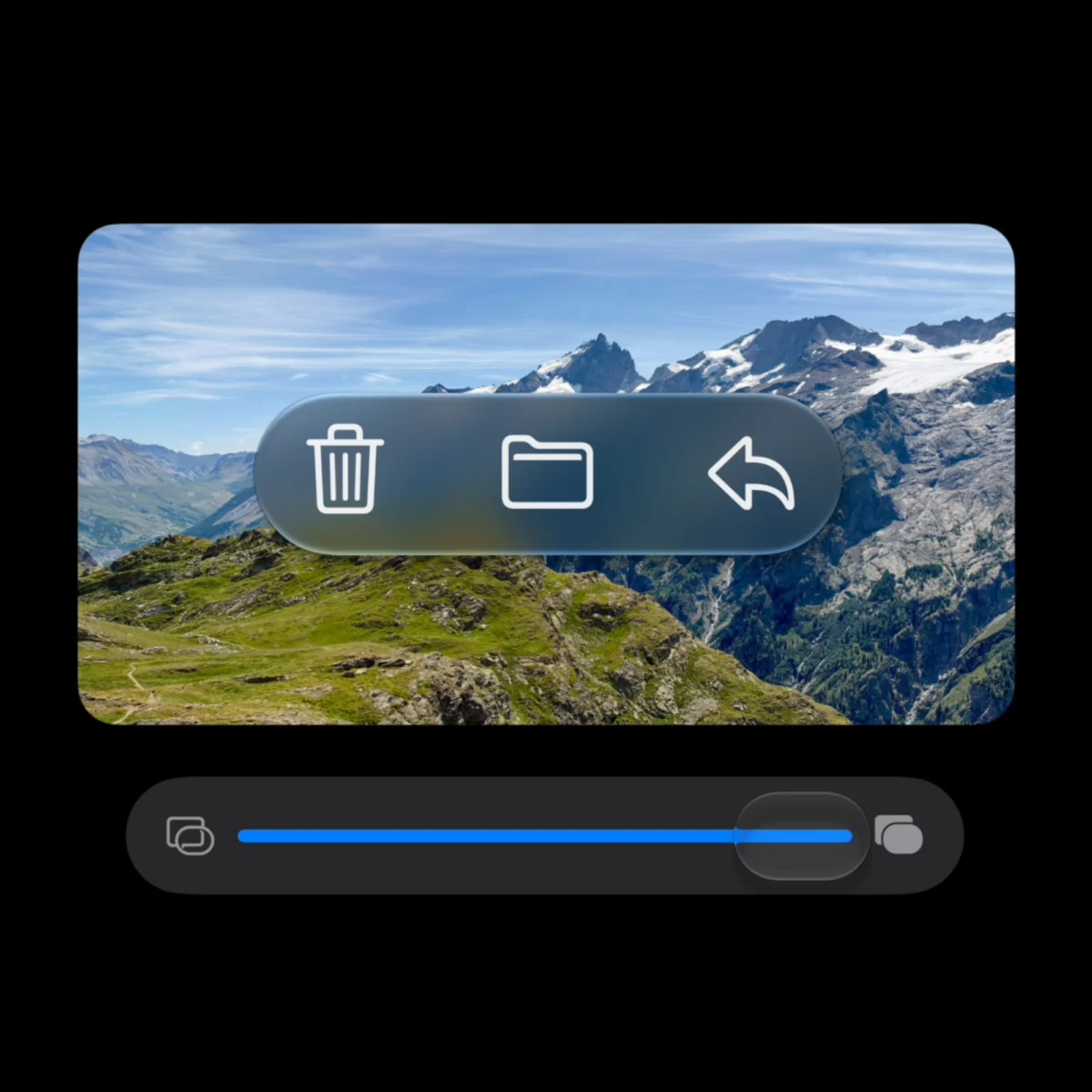
Apple has also iterated on its visual design language with the introduction of "Liquid Glass" updates in iOS 27. This aesthetic framework, which debuted in a limited capacity in previous versions, has been refined for better contrast and more uniform refraction across the UI. The update introduces a "Transparency Slider" in the Display & Brightness settings, allowing users to dictate how much the background colors bleed through system menus and app windows.
This design update is not merely cosmetic; it is intended to improve legibility and reduce eye strain. By adjusting the "tint" of the Liquid Glass interface, users can create a high-contrast environment that is easier to navigate in direct sunlight or dark rooms. The improved refraction engine also ensures that the blur effects used in the Control Center and Notification Center do not impact system performance or battery life.
Enhanced Messaging Controls and Dictation Customization
In response to years of user feedback, iOS 27 provides new ways to customize the Messages app interface. A frequent complaint among iPhone users has been the accidental activation of the dictation feature due to the placement of the microphone icon next to the text entry field. In the new update, users can navigate to Settings > Apps > Messages to modify the "Show Text in Field" options.

Users now have the choice to keep the "Record Audio" button, switch it to a "Start Dictation" button, or remove the button entirely from that specific location. While the "Send" button will still appear once typing begins, this customization allows for a cleaner text entry experience. This change reflects Apple’s broader trend toward giving users more control over the functional layout of core system applications.
iPhone Handoff and Multi-Device Connectivity
One of the most innovative, though currently restricted, features of iOS 27 is the new iPhone Handoff capability. This feature allows a single phone number to be shared across two separate iPhone devices simultaneously. It is specifically designed for users who may own both a standard iPhone 18 and the new foldable iPhone Duo, allowing them to switch between devices without the need for a secondary SIM card or complicated call forwarding.
Currently, this feature is launching as an exclusive partnership with T-Mobile in the United States. The carrier is offering the service for an additional $5 per month, enabling seamless transitions where messages and calls appear on both devices in real-time. This move signals a potential shift in how mobile plans are structured, moving away from a "one device per line" model toward a more flexible, multi-hardware ecosystem.

Weather App Intelligence and Data Summaries
The Weather app in iOS 27 has been updated with new data-rich tabs and AI-generated summaries. Instead of a simple list of temperatures, the app now features dedicated sections for Precipitation, Wind, and general Conditions, providing hourly breakdowns and historical comparisons. The new "Highlights" feature uses generative AI to write a brief, conversational summary of the day’s forecast, such as "Expect heavy rain starting at 2 PM, but winds will die down by evening, making for a clear night."
These summaries are designed to give users the most pertinent information at a glance, eliminating the need to scroll through various charts and maps. The app also utilizes improved satellite imagery and local sensor data to provide more accurate "micro-climate" forecasts, which are particularly useful for users in mountainous or coastal regions.
Market Impact and Device Compatibility
The launch of iOS 27 is expected to drive a significant upgrade cycle for Apple. While the software is compatible with many older models, several of the most advanced AI features, including the generative photo tools and the full Siri AI suite, require the processing power of the A17 Pro chip or later. This effectively positions the iPhone 15 Pro through the newly released iPhone 18 Pro as the primary hardware targets for the new operating system.

As the tech industry continues to pivot toward artificial intelligence, iOS 27 serves as Apple’s definitive statement on the future of mobile computing. By combining local hardware power with sophisticated cloud-based AI, the company is attempting to create a user experience that is both highly capable and strictly private. The coming weeks will determine how the broader public adopts these new tools and whether the "intent-based" AI features become the new standard for smartphone interaction.