Google has officially released a dedicated desktop application for its Gemini artificial intelligence assistant on macOS, marking a significant milestone in the company’s efforts to integrate generative AI directly into the desktop workflow of millions of users. The move transitions the AI service from a browser-dependent tool to a native system-level application, providing users with more immediate access to Google’s large language models. This release follows several months of rapid development as Google seeks to maintain its competitive edge against rivals like OpenAI and Anthropic, both of which launched desktop solutions earlier this year.
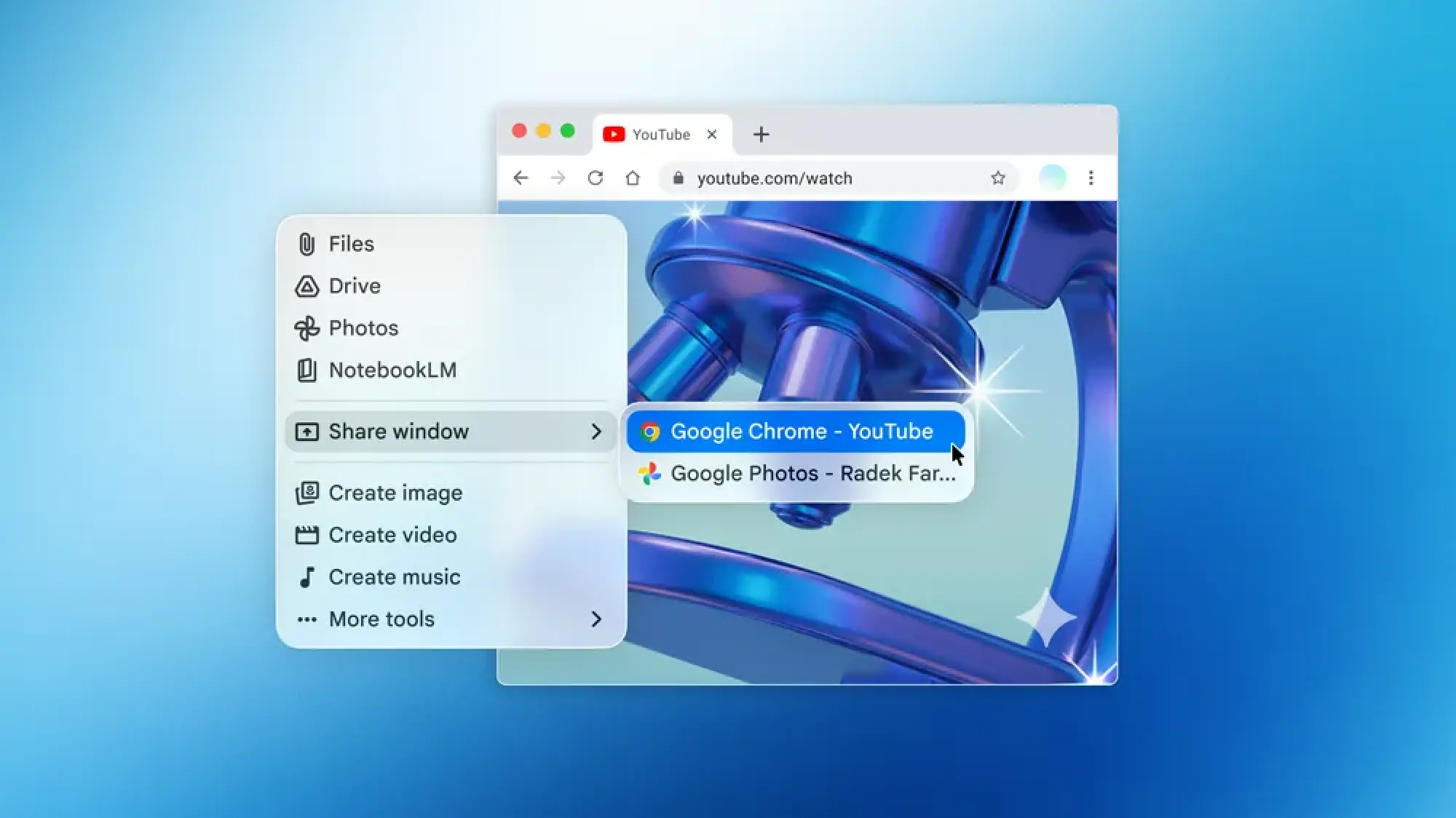
The introduction of the Google Gemini Mac app allows users to invoke the assistant through a customizable keyboard shortcut, with the default set to Option + Space. This functionality mirrors the behavior of Apple’s built-in Spotlight search and the ChatGPT desktop application, positioning Gemini as a primary interface for information retrieval and content generation. By moving beyond the web browser, Google aims to reduce friction for professional users who rely on high-frequency interactions with AI to manage complex tasks.
One of the most notable features of the new application is its ability to interact with on-screen content and local files. Users can grant the application permission to "see" what is currently displayed on their monitors, enabling the AI to provide contextually relevant summaries, analyze data visualizations, or assist with coding projects in real-time. This level of system integration represents a shift toward more proactive digital assistants that can interpret a user’s current environment rather than just responding to isolated text prompts.
Enhanced Productivity and System Integration
The primary advantage of the Google Gemini Mac app lies in its deep integration with the macOS environment. Unlike the web-based version, the native app can be pinned to the dock or kept running in the background, ensuring that the AI is always a single keystroke away. This accessibility is designed to cater to power users who require a seamless transition between their primary work applications—such as Final Cut Pro, Xcode, or Microsoft Excel—and their AI assistant.
Beyond simple chat interactions, the application supports advanced multimodal capabilities. Users can drag and drop documents, images, and folders directly into the Gemini interface for immediate processing. For example, a researcher can drop a lengthy PDF report into the app and ask for a bulleted summary of key findings, or a software engineer can share a screenshot of an error message to receive troubleshooting suggestions.
Google has emphasized that this launch is intended to be the "foundation" for a more sophisticated desktop experience. The company’s vision involves a "personal, proactive, and powerful" assistant that does not merely react to commands but anticipates user needs based on their current activity. This proactive approach is expected to evolve in the coming months as Google rolls out further updates that deepen the assistant’s ability to navigate the file system and interact with other third-party applications.
Competitive Landscape in the AI Market
The release of the Google Gemini Mac app comes at a time when the "AI desktop wars" are intensifying among Silicon Valley’s largest players. OpenAI’s ChatGPT app for macOS, which debuted earlier this year, set a high bar for system integration and voice-based interaction. Anthropic followed suit shortly after by bringing its Claude assistant to the desktop, focusing on its superior long-form writing and coding capabilities.
Google’s entry into the native desktop space was widely viewed by industry analysts as a necessary step to prevent user churn. Many professionals had begun migrating toward ChatGPT for daily tasks because the convenience of a dedicated app outweighed the benefits of Google’s ecosystem integration. By launching a native macOS client, Google is attempting to reclaim its position as the go-to provider for productivity-focused AI.
Furthermore, the timing of this release is significant given Apple’s own moves in the space. With the rollout of Apple Intelligence and the integration of Siri with ChatGPT, Google faces the risk of being sidelined on the very hardware its users occupy. Providing a high-quality, native alternative allows Google to keep users within its Gemini Advanced subscription model and the broader Google Workspace ecosystem, which remains a critical revenue driver for the company.
Technical Requirements and User Privacy
To run the new application, users must have a Mac running macOS 15.0 (Sequoia) or later. This requirement ensures that the app can leverage the latest security protocols and system APIs necessary for features like screen recording and audio processing. While the app is free to download for all macOS users, those with Gemini Advanced subscriptions will have access to more powerful models, such as Gemini 1.5 Pro, which features a larger context window for processing massive amounts of data.

Privacy remains a central concern as AI assistants gain deeper access to personal and professional data. To enable the "Ask about this screen" feature, users must manually grant the Google Gemini Mac app permission to record the screen and access the microphone within the macOS System Settings. These permissions are sensitive, as they essentially allow the application to observe everything the user is doing.
Privacy advocates suggest that users should remain vigilant about these permissions. While Google has stated that these features are designed to enhance utility, the company’s history with data collection has led some experts to recommend revoking these permissions when the AI is not actively in use. Google has responded to these concerns by highlighting the transparency of its permission model, ensuring that users have clear indicators when the assistant is accessing system resources.
Impact on Professional and Creative Workflows
The availability of the Google Gemini Mac app is expected to have a profound impact on various professional sectors. In the legal and academic fields, the ability to quickly upload and query local documents without navigating a web interface can save hours of manual research. The app’s capacity to handle large file sizes and complex formatting makes it a formidable tool for those dealing with "big data" on a localized scale.
In the creative industry, designers and video editors can use the screen-awareness feature to get instant feedback on layouts or color palettes. Because Gemini can interpret visual information, it can act as a secondary pair of eyes, spotting inconsistencies or suggesting creative directions that might not be immediately obvious. This collaborative aspect of AI is a key selling point for Google as it attempts to market Gemini as a partner rather than just a tool.
Developers are also expected to be major beneficiaries. With the app running natively, coding assistance becomes more fluid. A developer can have their IDE (Integrated Development Environment) open on one side of the screen and the Gemini app on the other, or simply use the overlay mode to ask questions about specific lines of code. The reduced latency of a native app compared to a browser tab provides a more "snappy" feel that is essential for maintaining a flow state during complex programming tasks.
The Strategic Shift Toward Personal AI Agents
The launch of the Google Gemini Mac app signals a broader strategic shift at Google. For years, the company’s primary interface with the world was the search bar. However, the rise of generative AI has changed the way users seek information. Instead of a list of links, users now want direct answers and the ability to perform actions.
By establishing a permanent presence on the desktop, Google is moving closer to the concept of "AI agents"—software entities that can perform tasks on behalf of the user. While the current version of the Gemini app is largely conversational, the "foundation" Google mentioned likely refers to future capabilities where Gemini could potentially move files, schedule meetings, or even automate repetitive cross-app workflows.
This evolution is part of a larger trend in the tech industry where the operating system itself is becoming secondary to the AI layer that sits on top of it. If a user spends the majority of their time interacting with Gemini to manage their tasks, the specific OS they are using becomes less important than the AI ecosystem they are subscribed to. This is why the fight for desktop real estate is so fierce; it is about owning the primary interface through which work is conducted.
Public Reaction and Future Outlook
The initial reception of the app has been largely positive, with users praising the speed of the keyboard shortcut and the convenience of the screen-sharing feature. However, some early adopters have noted that the app still feels like it is in its early stages, with certain web-based features yet to be fully optimized for the desktop environment. Google has acknowledged this feedback, stating that regular updates will be released to refine the user interface and add new functionalities.
Looking ahead, the industry will be watching closely to see how Google handles the integration of Gemini into its other hardware and software offerings. With the Mac app now live, many are anticipating a similar release for Windows users, which would cover the vast majority of the desktop market. The goal is a ubiquitous AI experience that follows the user from their smartphone to their laptop and into their office suite.
As the Google Gemini Mac app continues to evolve, it will likely serve as a testbed for new AI features before they are rolled out to the broader public. The desktop environment provides a more robust playground for experimental features than mobile devices, thanks to greater processing power and more complex user interactions. For Google, the Mac app is not just a new product; it is a critical component of a long-term strategy to define the future of computing in the age of artificial intelligence.