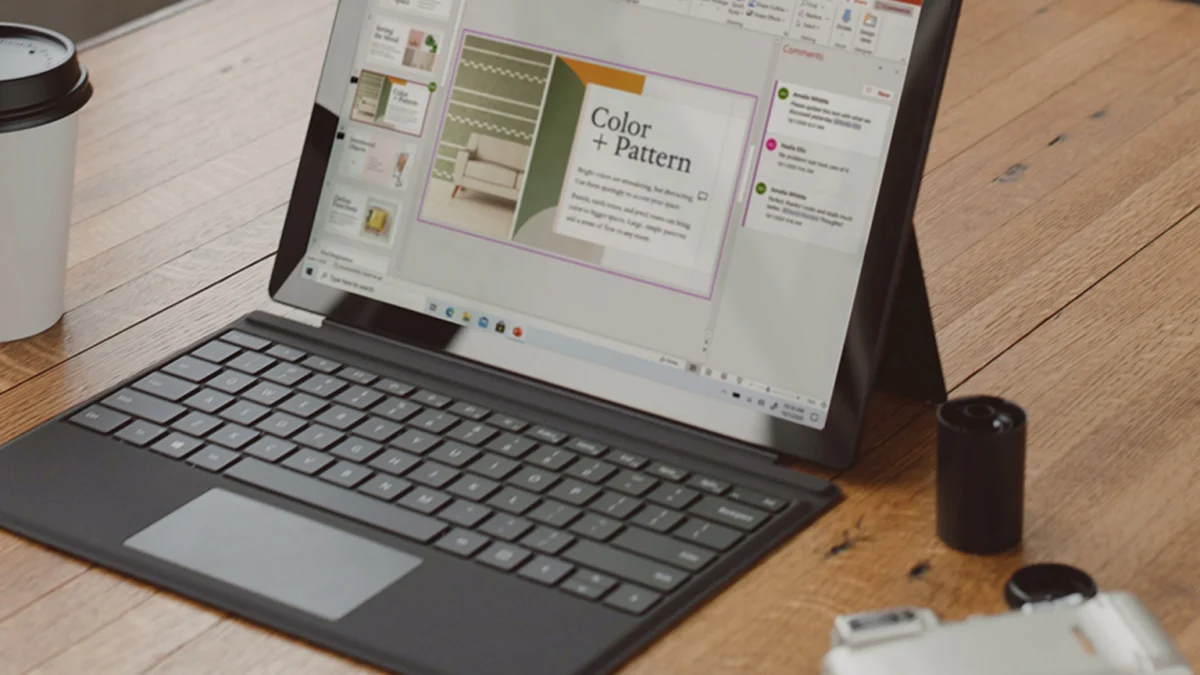
A significant price reduction on Microsoft Office Professional Plus 2019 has entered the digital marketplace, offering consumers a lifetime license for $16.97 through September 27. This limited-time offer represents a 92% discount from the original retail price of $229, providing a one-time purchase alternative to the subscription-based models that have become standard across the software industry. The deal, facilitated through third-party retail channels, targets Windows users seeking to secure essential productivity tools without the burden of recurring monthly or annual fees.
The package includes the full suite of professional applications, including Word, Excel, PowerPoint, Outlook, OneNote, Publisher, and Access. Unlike the Microsoft 365 model, which requires ongoing payments to maintain access to the software and cloud services, this license grants permanent use of the 2019 version on a single compatible Windows PC. As the deadline of September 27 approaches, market analysts suggest this move reflects a growing consumer demand for software ownership in an era increasingly dominated by Software-as-a-Service (SaaS) frameworks.
The Financial Shift Toward Perpetual Licensing Options
The decision to offer Microsoft Office Professional Plus 2019 at a sub-$20 price point highlights a persistent niche in the software market for "perpetual licenses." For many years, the industry has migrated toward subscription models that provide continuous updates and cloud storage. However, the initial $229 MSRP for the 2019 Professional Plus edition often served as a barrier to entry for individual users and small business owners. By lowering the entry cost to $16.97, the current promotion allows budget-conscious consumers to bypass the cumulative costs associated with long-term subscriptions.
Financial experts note that while Microsoft 365 offers the latest features and cloud integration, the total cost of ownership over five years can exceed several hundred dollars. In contrast, a one-time payment for a legacy version like Office 2019 allows users to freeze their software costs entirely. This is particularly relevant for users who do not require the latest AI-driven features or extensive cloud collaboration tools and instead prioritize a stable, local environment for document creation and data management.
Features and Capabilities of Microsoft Office 2019 Professional Plus
Despite being succeeded by the 2021 version and the rolling updates of Microsoft 365, the 2019 Professional Plus suite remains a robust toolset for modern professional requirements. The inclusion of Word 2019 provides advanced word processing with features such as Learning Tools, captions, and audio descriptions. For data analysts and accountants, Excel 2019 introduced new formulas, charts, and enhancements to Power Pivot and Power Query, ensuring that the software remains capable of handling complex datasets.
The suite also caters to specialized professional needs through applications like Microsoft Access and Publisher, which are not typically included in basic home versions of the software. Access 2019 provides a comprehensive database management system for tracking inventory or managing large sets of client data, while Publisher 2019 remains a staple for layout and design tasks. Outlook 2019 serves as the central hub for communication, featuring updated contact cards and Focused Inbox features that remain compatible with most modern email protocols.
Navigating the End-of-Life Support for Legacy Software
One critical consideration for consumers purchasing Microsoft Office 2019 in 2024 is the software’s support lifecycle. Microsoft operates under a Fixed Lifecycle Policy for its perpetual products, which includes a period of mainstream support followed by extended support. While Office 2019 has moved past its mainstream support phase, it remains within the extended support window, during which it continues to receive critical security updates.
Security professionals emphasize that while the software will not receive new feature updates, the maintenance of security patches is vital for protecting users against emerging vulnerabilities. Potential buyers must weigh the benefit of the low $16.97 price point against the eventual cessation of all updates. For many, the ability to "keep Microsoft Office 2019 on your PC" indefinitely outweighs the lack of new features, provided the system remains secure for the duration of its practical utility.
The Rise of Third-Party Software Markets and Digital Keys
The availability of such deep discounts is often driven by third-party platforms like StackSocial, which partner with authorized distributors to sell excess license keys. This marketplace dynamic has created a secondary economy for digital software, allowing consumers to access "open box" or volume-licensed versions of software that were originally intended for corporate environments.
This segment of the market has seen increased activity as users look for ways to mitigate "subscription fatigue." Industry reports indicate that the average household now manages multiple digital subscriptions, leading to a desire for simplified, one-off transactions. The sale of Microsoft Office 2019 for $16.97 serves as a prime example of how digital retailers are capturing this sentiment, offering a "buy-it-and-own-it" product that aligns with traditional consumer habits.
Combatting Subscription Fatigue in the Digital Economy
The broader technological landscape has shifted toward a "rent-everything" economy, affecting everything from entertainment and fitness to professional productivity software. While the SaaS model provides developers with a steady stream of revenue to fund continuous improvement, it has also led to consumer pushback. Many users feel that the lack of ownership over their primary tools creates a sense of digital instability.
By securing a license to Microsoft Office 2019, users effectively opt out of the subscription cycle for their primary productivity needs. This move is particularly popular among retirees, students, and freelancers who may have fluctuating incomes and prefer to avoid fixed monthly overhead. The $17 investment acts as a hedge against future price increases in the subscription market, providing a functional baseline for professional work that does not expire if a payment is missed.
Comparative Analysis: Office 2019 vs. Microsoft 365
When evaluating whether to pay just $17 and keep Microsoft Office 2019 on your PC, it is essential to understand the technical distinctions between the perpetual and subscription versions. Microsoft 365 is a cloud-first service that offers 1TB of OneDrive storage, cross-device synchronization, and the latest "Copilot" AI integrations. It is designed for users who move frequently between devices and collaborate in real-time on shared documents.
Office 2019, conversely, is a "device-based" license. It is installed locally and does not require an internet connection for daily operation, making it an ideal choice for users in areas with unreliable connectivity or those with strict data privacy concerns. While it lacks the automated cloud backups of its subscription counterpart, many users prefer the autonomy of managing their own file storage on local hard drives or private servers.
Economic Implications for Small Businesses and Students
For small business owners, the ability to equip a workstation with a full suite of professional tools for less than $20 can significantly impact the bottom line. In an environment where enterprise software costs can escalate quickly, the use of legacy but functional software like Office 2019 allows for capital to be diverted to other areas of business growth.
Similarly, students who may not have access to institutional licenses find these deals to be a lifeline. While free alternatives like Google Docs or LibreOffice exist, Microsoft Office remains the industry standard in corporate and academic environments. Having a local copy of Word and Excel ensures that students can produce documents that are perfectly compatible with their instructors’ and future employers’ systems without relying on a constant web connection.
Technical Requirements and Installation Procedures
The $16.97 deal for Microsoft Office Professional Plus 2019 is specifically designed for Windows PCs. It generally requires Windows 10 or Windows 11 to operate effectively. Buyers receive a digital activation key and a download link, which must be used to register the software with a Microsoft account.
IT consultants recommend that before installation, users should remove any existing versions of Office to avoid software conflicts. Because this is a lifetime license for a single PC, the software cannot be easily transferred between machines once activated. This "one-and-done" installation process is a hallmark of the 2019 edition, emphasizing its role as a permanent fixture of the user’s hardware setup rather than a portable cloud identity.
Future Outlook and Final Deadlines
As the September 27 deadline for the $16.97 offer approaches, it marks one of the lowest price points recorded for the 2019 Professional Plus suite. While Microsoft continues to promote its newer 2021 perpetual version and the 365 subscription service, the 2019 edition remains a viable and highly sought-after product due to its balance of modern features and extreme affordability.
The persistence of these deals suggests that the market for non-subscription software remains robust. As long as there is hardware capable of running these versions, there will likely be a community of users who prefer the stability and cost-predictability of a lifetime license. For those looking to secure their productivity tools for the foreseeable future, the current window provides a rare opportunity to acquire a professional-grade suite for the price of a modest meal.